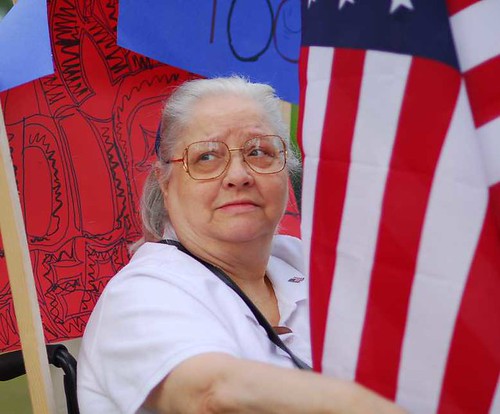
Nikon D-200 85mm ƒ1.8
I reserve the right to not publish ignorant ill-informed and filthy comments from vile cretins who have a four letter vocabulary. Further, anonymous comments with strong opinions and personal attacks may be rejected. If you want to voice a strong opinion, at least have the courage to sign your name to it. You don't even have to use your name, make something up so the next person can address your comment without confusion.
The color balance in that one is pretty far off. Might check your white balance settings.
ReplyDeleteIf you have Photoshop or the GIMP (free) try using the white eyedropper tool under the Levels command. Just select the white eyedropper and use it to click the whitest part of the photo.
There's a similar tool in Google's free Picasa under the Tuning tab. I tried it just now and made it a big difference in the color balance.
Here's a version run through Google Picasa. I used the Auto Contrast command under Basic Fixes, then the white eyedropper under Tuning, then the Sharpen command under Effects.
ReplyDeletehttp://www.lesjones.com/www/images/posts/grandma856-1.jpgPicasa can apply Auto Contrast and Sharpen to a whole folder full of pictures at once. Just go to the Picture menu and Batch Edit. I do those two things to every picture that comes off of my camera.
What this did Les, is apparently add yellow to the photo.
ReplyDeleteI did the same thing in flickr's auto processor and decided that I preferred the pinkish skin tones to the sallow ones provided by the automatic processing.
I also preferred the softer image for an elderly lady to an artificially sharpened one.